The issue
Had a “bad” 8tb hard drive, showing a weird 14tb Microsoft partition on it when using partition programs like ‘parted’ or ‘gdisk’. But the Linux kernel wasn’t recognizing that the pseudo/fake partition existed. All attempts to delete the partition and create a new single partition failed. I could delete it but as soon as I tried to create a new partition, that mysterious 14tb partition showed up again. I was about to give up on the drive, figured it’s stuck in some kind of read-only mode so it’s ignoring my attempts to delete the partition, or maybe it’s some kind of cache issue or something.
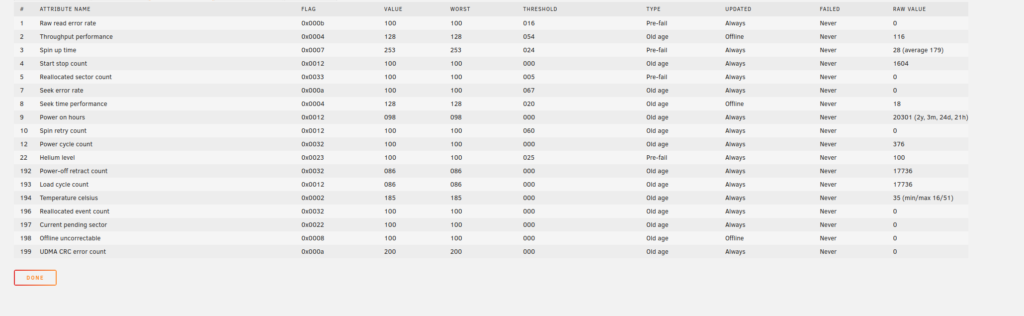
It passed the SMART short test and the SMART extended test. There was no errors when writing to the drive either. It “seemed” normal except the linux kernel would not show a ‘/dev/sdk1’ for example, just ‘/dev/sdk’ and gdisk would let me delete the ghost 14tb Microsoft partition, but then that 14tb Microsoft Partition suddenly showed up again as soon as you left gdisk and then went in to check again. I tried to use ‘wipefs’ to just wipe the partition data (first few bytes of a disk using `wipefs -a /dev/sdk`) but that ghost partition re-appeared as soon as I tried to create a new partition again. Very odd.
I tried to use hdparm to do a low level format:
1. hdparm –user-master u –security-erase llformat /dev/sdk
2. hdparm –user-master m –security-erase “” /dev/sdk
Both gave me some kind of I/O error. Which is what I thought the heart of the issue may be. But I did try that ‘dd’ command to write all zeroes to the entire drive before I gave up on this drive and tossed it. I know 8tb isn’t “massive” by today’s standards, but it’s still decent and I have 6x other 8tb drives so I wouldn’t mind adding this 8tb drive to my spare pool, assuming I can fix it and/or trust it.
The last resort / hail mary
Before I completely gave up on this disk and tossed it, I got the idea to use dd to write all zeroes to the drive, to every sector. I figured why not?
“dd if=/dev/zero of=/dev/sdk bs=1M”
Over 12 hours later and dd is still doing its thing, no Disk I/O errors or anything though so that’s good…
The results
I fully expected that after dd was done, I’d see the ghost partition still on the drive. However, interestingly, it seems to have worked.
Naturally when I checked the disk after dd was finished writing zeroes to every sector, I was able to see no partitions. But the test was to create a new partition. So using gdisk I created a new single 7.8tb partition, held my breath, and exited gdisk. Then i went to check again for partitions… and I only saw/continued-to-see the single 7.8tb partition! Nice. No more “ghost” partitions showing up. I then checked and sure enough “/dev/sdk1” finally showed up, meaning the kernel recognized it. I was able to format it and it “appears” to be working now.
I’m just not sure I can trust this disk. I don’t know what happened. My best “guess” is that this disk was part of some kind of RAID array, maybe RAID-0 with another 8tb disk, which would explain how a 14.8tb partition was able to be created. So this disk only had “half” the information on it, but enough to mess up gdisk and partitioning and such.
I guess I’ll bring it into my unRAID array, I might-as-well. Maybe I can tell unRAID to be careful about trusting this disk though. Or maybe I can make it a second parity disk. Or a warm standby.
